
The TC777 APK is a free 8.1MB download for Android 5.0 and above. It is not distributed through the Google Play Store, so you install it directly from the official link. That means one extra permission step the first time — after that, updates install like any other app.
Before You Start
TC777 is undemanding by design — it targets the budget Android phones most Pakistani players actually use. Check these four things and the install will go through first time.
| Operating system | Android 5.0 (Lollipop) or newer |
|---|---|
| Download size | 8.1MB |
| Free storage needed | At least 100MB, since game assets cache after install |
| RAM | 1GB works; 2GB or more is smoother in live games |
| Connection | 3G is enough; 4G or Wi-Fi for live tables |
| Account needed | Active mobile number for the SMS OTP |
Install the APK Step by Step
Tap the download button. Open the official TC777 link and tap Download. The 8.1MB file lands in your Downloads folder in a few seconds on 4G.
Allow unknown sources. Android will ask for permission the first time. On Android 8 and above the prompt appears automatically — tap Settings, then switch on Allow from this source for your browser. On older versions, go to Settings → Security → Unknown sources.
Open the APK file. Pull down your notification bar and tap the completed download, or open Files → Downloads and tap tc777.apk.
Confirm Install. Review the permission list and tap Install. It finishes in 10 to 20 seconds.
Open the app. Tap Open, or find the gold TC777 icon on your home screen.
Register and claim. Tap Register, enter your phone number, set a password, verify the OTP and claim the Rs 1,000 download bonus.
The Play Protect Warning
Google Play Protect shows a notice for every app installed outside the Play Store, regardless of what the app is. The message reads something like "unsafe app blocked" or "this type of file can harm your device". Tap More details, then Install anyway.
This warning is about the distribution channel, not about TC777 specifically. The same prompt appears for banking apps side-loaded from a company intranet. What genuinely matters is where you got the file: only download from the official TC777 link, never from a random APK mirror that repackages the installer.
A legitimate TC777 APK is around 8.1MB. If a file you downloaded elsewhere is dramatically larger or asks for permissions like SMS reading or accessibility services during install, delete it and download again from the official link.
First Login and Bonus Claim
Open TC777 and tap Register on the landing screen.
Enter your active mobile number — this is the number your withdrawals will be tied to, so use one registered in your own name.
Create a password of at least eight characters and confirm it. The strength meter under the field turns green when it is strong enough.
Tick the user agreement checkbox, then tap Register.
Enter the OTP that arrives by SMS within about 30 seconds.
Open Promo from the bottom bar and claim your download bonus and daily login reward.
Your first withdrawal will require the same name on your mobile wallet as on your TC777 profile, so set the profile name correctly now rather than fixing it later. The deposit and withdrawal guide explains why.
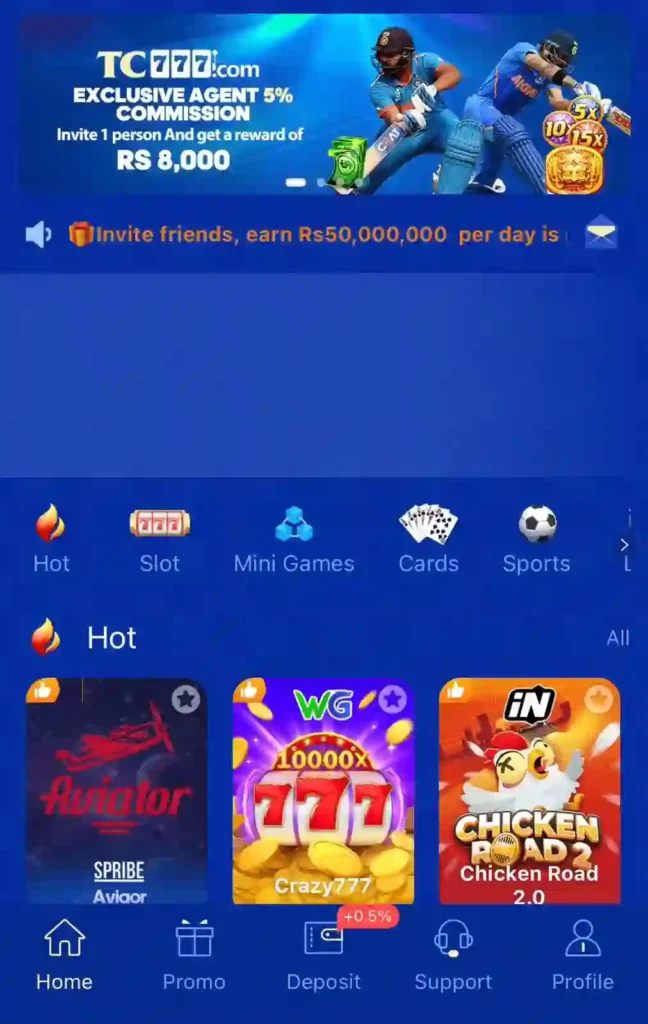
Updating the App
Because TC777 sits outside the Play Store, it handles its own updates. When a new build is released, an update prompt appears the next time you open the app. Tap Update, let the new APK download, and install it over the existing one.
You do not need to uninstall first, and you do not lose anything — your account, balance, referral history and VIP level live on the server, not on the phone. If you ever do reinstall from scratch, just log in with the same phone number and everything reappears.
Installation Troubleshooting
"App not installed"
Almost always one of three things: an older TC777 build is still installed, the download was cut short, or storage is full. Uninstall any existing copy, free up at least 100MB, download the APK again and retry.
"There was a problem parsing the package"
The file is corrupt or incomplete — usually a dropped connection mid-download. Delete the partial file from Downloads and download it again, ideally on Wi-Fi.
The download button does nothing
Some in-app browsers (inside WhatsApp, Facebook or Instagram) block APK downloads. Tap the three-dot menu and choose Open in browser, then download from Chrome directly.
The app installs but will not open
Clear the app cache from Settings → Apps → TC777 → Storage → Clear cache, then reopen. If it still fails, reinstall the latest APK. On phones with under 1GB of free RAM, closing background apps before launching helps.
The OTP never arrives
Check that the number was entered without the leading zero when a country code field is shown, confirm you have signal, and wait the full 60 seconds before tapping Resend. If three attempts fail, contact 24/7 support from the Support tab.
TC777 on iPhone
There is no native iOS app. Apple's App Store rules keep real money gaming apps of this type out of the store in Pakistan, and TC777 has not published one. iPhone users open the TC777 web version in Safari, tap the share icon and choose Add to Home Screen, which creates an icon that behaves much like the app. Gameplay and payments work; push notifications do not.
Get the TC777 APK
Free 8.1MB download, Android 5.0 and above, with the Rs 1,000 download bonus waiting in the Promo tab.
Download FAQs
How big is the TC777 APK?
The APK is around 8.1MB. Once installed it uses roughly 40 to 60MB with cached game assets, so keep at least 100MB free before installing.
Why is TC777 not on the Google Play Store?
Google Play restricts real money gaming apps in Pakistan. TC777 is distributed as a direct APK download instead, which is why Android asks for the unknown sources permission once.
Is there a TC777 app for iPhone?
No native iOS app exists. iPhone users can open the web version in Safari and add it to the home screen for an app-like experience.
How do I update the TC777 APK?
An in-app prompt appears when a new build is available. Tap Update and install over the existing app — your account, balance and referral history are unaffected.
The installation says "app not installed". What now?
Uninstall any older TC777 version, free at least 100MB of storage, download the APK again and retry. An incomplete download is the other common cause.
Does the download bonus apply to reinstalls?
No. The Rs 1,000 download bonus is credited once per account, not per install. Reinstalling and logging back in does not trigger it a second time.
Responsible play notice. TC777 involves real money and uncertain outcomes. Install only from the official link, never play with money you cannot afford to lose, and stop when you hit the budget you set. See our editorial standards for how this guide was tested.